Connect business data
Map representative order rows, include a case that needs review and inspect both the automation run and delivery result.
Evaluate an ERP export →Evaluation quickstart
Use one familiar packing task to evaluate design, operator input, printing and history. Each step answers a practical question before you connect a larger workflow.
You need a Center account, a label you may use and a configured output. For local setup, follow the instructions for the supplied build and record its version. A local simulator is useful for evaluating software behavior; include your actual printer before accepting physical output.
Create a small label or adapt a suitable template. The synthetic Northline Parts example uses product “Precision bearing 6204”, part number “BRG-6204”, batch “LOT-260926” and a pack quantity of 24. Replace these with synthetic values that resemble your own task.
Choose a starting template →Set the media dimensions and inspect the rendered label. Try a long product name, a different batch and a missing required value. Saved sample sets help you repeat the review without changing production defaults.
Explore the Designer →Print Center can generate inputs from the label. For a guided station, create a saved form in the form builder, add validation and a label-preview field, and assign the form to its intended use. Complete any required approval before an operator uses it.
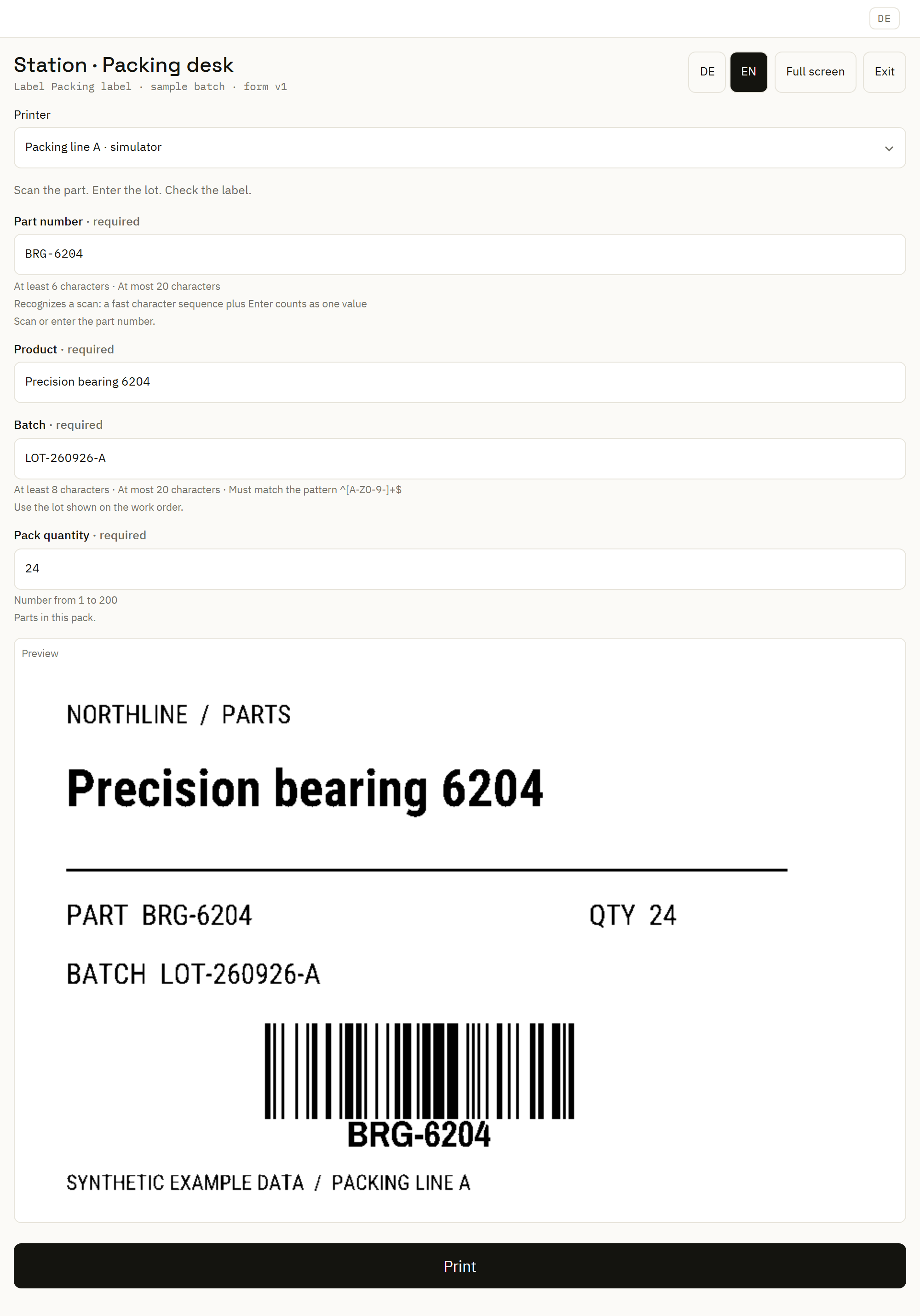
The Center-hosted kiosk provides a focused form with preview when configured. It needs a connection to the Center.
Build a guided printing form →For a network printer reachable from the Center, use the direct path. For local queues or printers near a site service, check that the Automation Service is connected and has the required documents and assets. Confirm the target, connection type and media.
Choose your printer connection →The example's pack quantity is 24; request one label copy. Review the returned state and the print archive. A sent stream, target confirmation and a physically inspected label establish different things. If the outcome is unknown, investigate before repeating.
Follow the operator steps →Write down the label version, inputs, requested copies, target and reported result. Record physical checks separately. This gives the next person enough information to reproduce a finding or compare a revised label.
Follow the print history →Northline Parts
A configured kiosk brings the inputs and rendered label together, so an operator can review the task before submitting it.
Synthetic example in the product UI. This view shows the station experience; it does not establish a physical print result.
Map representative order rows, include a case that needs review and inspect both the automation run and delivery result.
Evaluate an ERP export →Give each site a local printer mapping. Compare the version you deployed with what its service reports as applied.
Explore multiple sites →Import representative files and linked artwork, inspect the findings and compare the resulting behavior.
Evaluate a migration →