Business records
Poll database records and query additional data through configured connections. Named SQL parameters bind values separately from query text; flow and site settings supply the context.
Print automation
Connect incoming records to the values, checks and printer decisions they require. Build a visual workflow that your operations and integration teams can follow together.
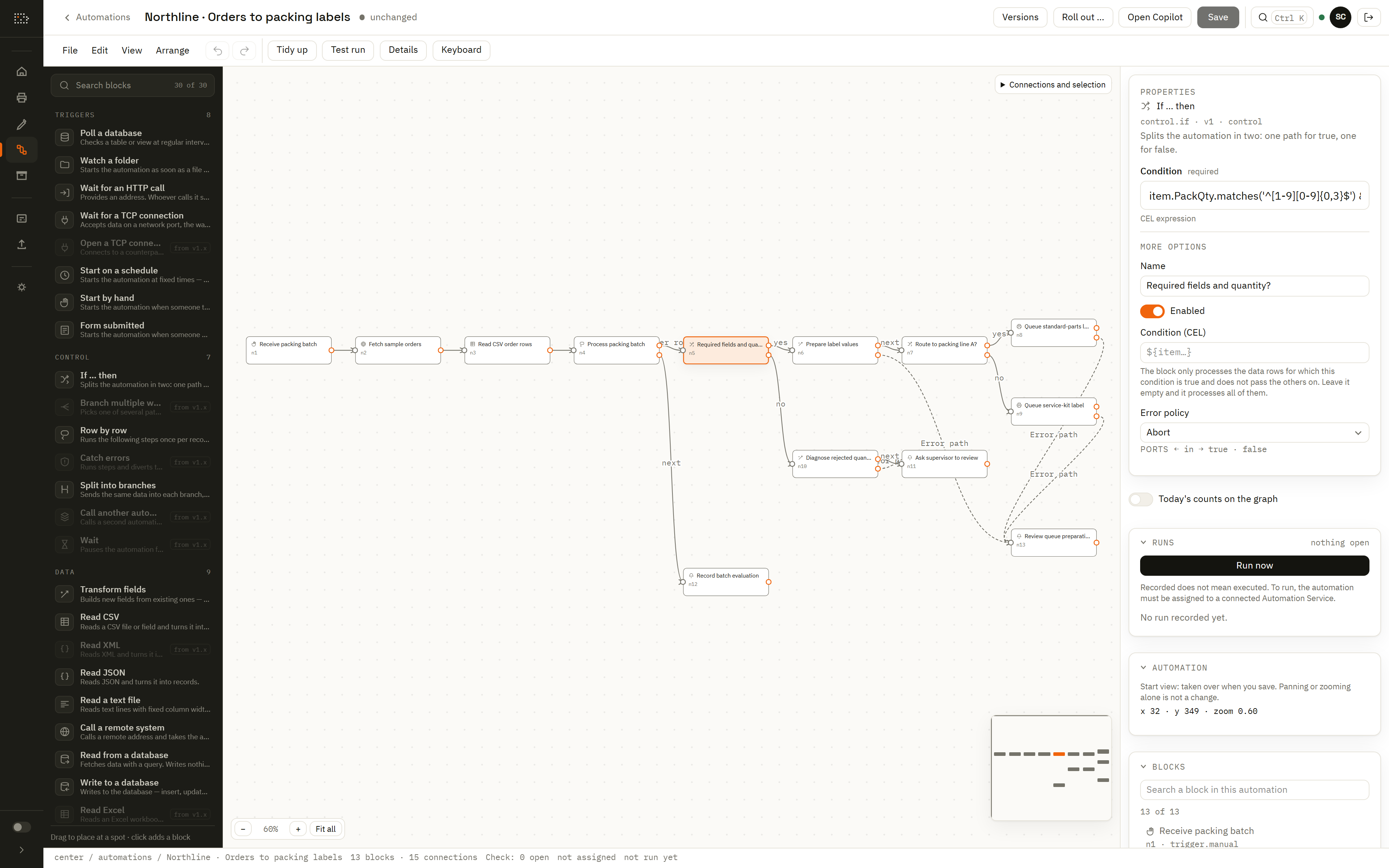
Connect the source
Poll database records and query additional data through configured connections. Named SQL parameters bind values separately from query text; flow and site settings supply the context.
Watch a local folder, parse CSV, JSON or text data, or receive work through an HTTP endpoint or configured TCP listener. The trigger determines where the incoming event is received.
Start manually while developing the process, run on a configured schedule, or connect a saved form submission. The workflow defines what happens after the trigger supplies its inputs.
Database and local trigger paths need an Automation Service with the corresponding connections, permissions and capabilities. Generic data integration lets you work with ERP or WMS exports and interfaces; it does not imply a prebuilt connector for every business application.
Make the decisions explicit
Transform source fields, convert types and calculate values with CEL expressions. Branch on the conditions that matter: a missing lot, an invalid quantity or the packing line assigned to the order.
Map accepted records to the variables of an explicit label version. Logical printer names let the workflow describe the destination's job, while deployment settings identify the local printer.
Give incomplete records a visible review path. Configure supported error paths for failed steps and use operational notices to explain what needs attention.
Follow an ERP export to packing labels →Define field names, types and record identity. Preserve identifiers such as leading-zero order lines as text.
Convert the quantity, require the lot and decide which line should handle a valid record. Route the exception to review.
Queue the label with its mapped values. Review the workflow run, then follow the separate delivery outcome.
Run visibility
The run history exposes counts by node and port, error details and operational notices. Compare the expected route with the path taken by real input records.
A workflow can finish after queuing print work while the printer is still being contacted. Read the delivery record to distinguish sent, confirmed and uncertain results before closing the operation or submitting another request.
Follow delivery and print history →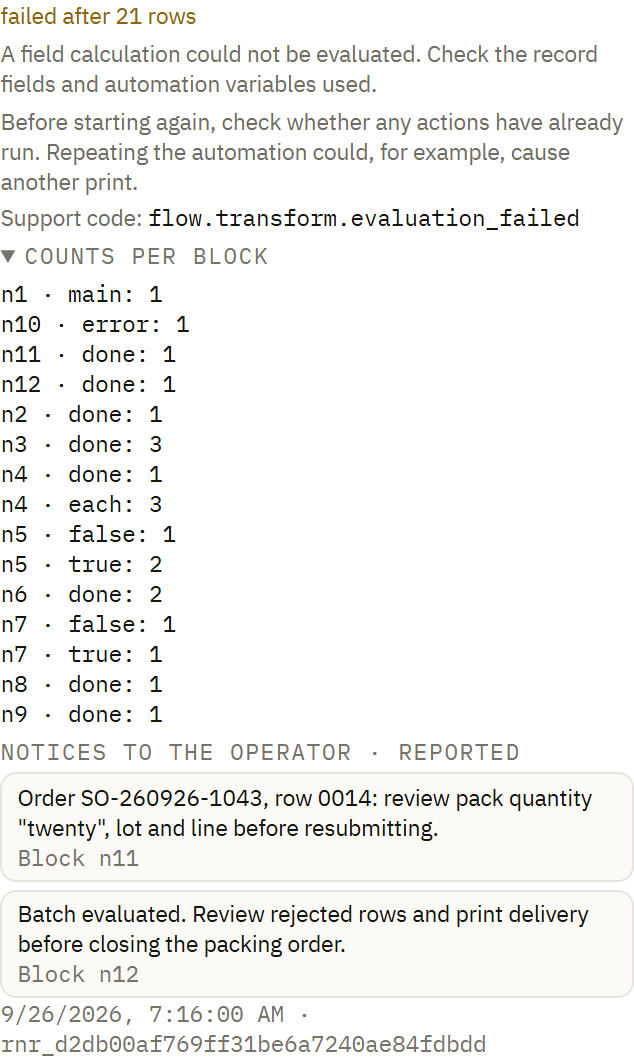
Save the process as a versioned document. Select the intended version for deployment and check the state applied by each service.
Control distribution →Local Automation Services execute deployed work with access to the required printers, folders and databases.
Understand local execution →Ask a configured model for a bounded workflow proposal, then inspect the nodes and mappings before applying it.
Explore reviewable assistance →