openlabelengine

Start with the work

Connect the record,
the label and the result.

Choose the workflow closest to your operation. See how design, operator input, automation and local execution fit together, with concrete examples of what to inspect at each handoff.

Business data

Turn orders into
checked print requests.

Prepare the right label values, route accepted records and make exceptions actionable.

ERP data to packing labels

Follow a three-row sample export through HTTP retrieval, CSV parsing, validation and printer routing. The executed example produced two sent requests and a real rejected-quantity error with a review notice.

Follow the order batch →
One example, connected views

Northline Parts is an invented operation used throughout these pages. Local Automation Services represent Vienna packing and Brno dispatch. Sample records, people and sites are illustrative; measured software outcomes are identified where used.

The order and distribution demonstrations were executed on 26 September 2026 using synthetic data and a local printer simulator.

Operator stations

Make the next label
clear at the packing bench.

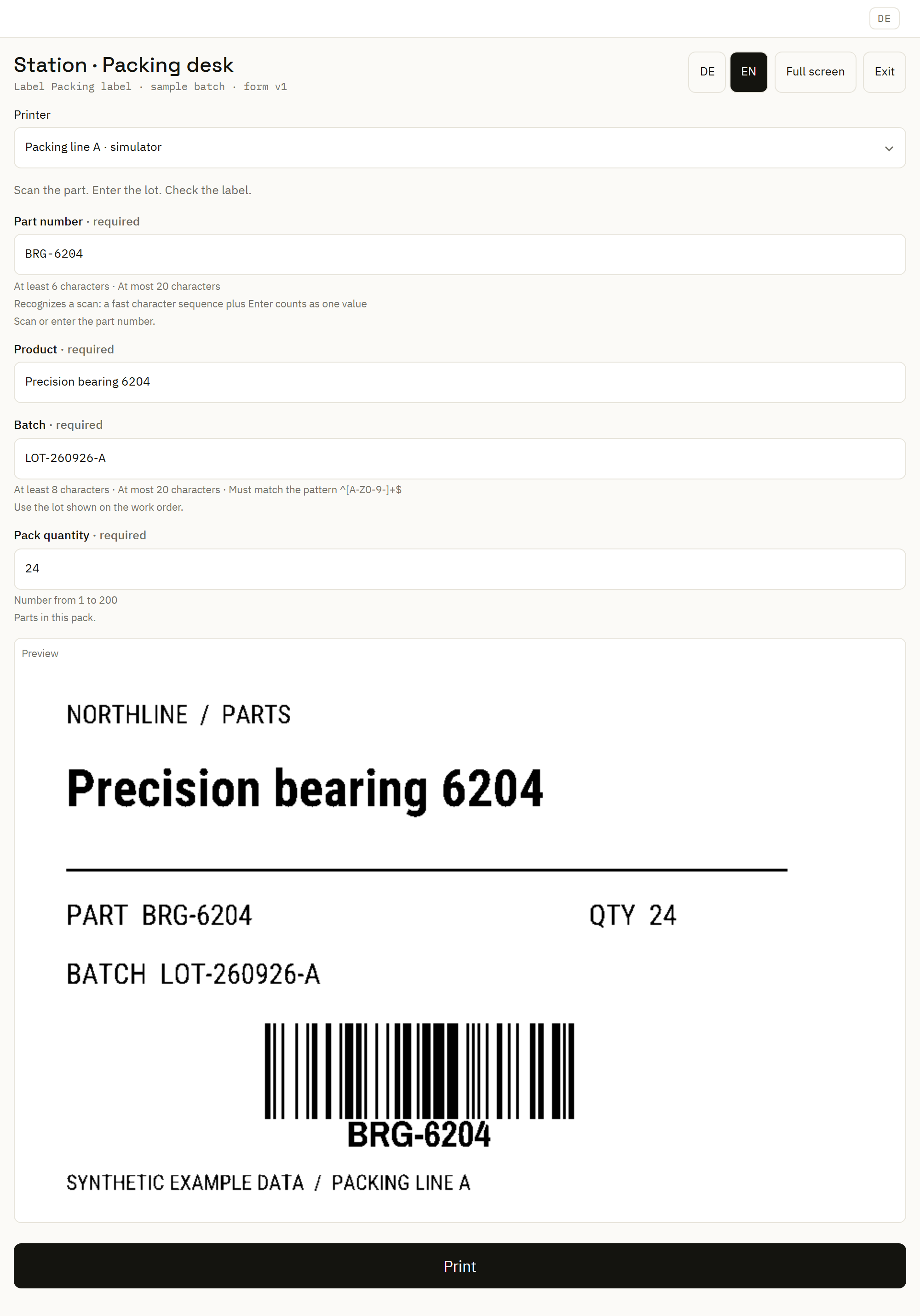
Give the operator focused inputs, useful validation and a rendered preview in a saved browser form.

The warehouse walkthrough connects the label specialist's design with the fields and printer destination the operator needs during the shift.

Plan a warehouse print station →
Synthetic packing station with required inputs and a rendered label preview.
Bring the current values and label preview together in a focused operator form.Enlarge image

Multiple locations

Coordinate versions
and local dependencies.

Multi-site label management

Choose explicit versions for Vienna and Brno, map local printer roles and inspect what each service has applied. Follow the recorded site-by-site version change.

See version distribution →

Connection-loss planning

Map deployed documents, local sources, remote systems and Center-hosted forms. Use a concrete dependency table to plan a controlled interruption and recovery exercise.

Plan local continuity →

Know what runs where

The Center manages documents and configuration. Automation Services execute configured work near their sources and printers. Your installation can put these parts together or distribute them.

Understand the architecture →

Existing systems

Bring a known workflow
into the next design.

A migration project starts with the decisions, data and output your team already relies on.

Convert representative NiceLabel files, inspect the findings, supply linked artwork and review the resulting design and automation. Carry the operator handoff and cutover decision through the same project.

Plan a NiceLabel workflow migration →

From findings to an editable result

Use conversion diagnostics to locate content that needs attention. Inspect the adopted document with realistic sample values, then evaluate its important branches against a controlled target.

Explore the import and review tools →

Numbering and history

Keep identifiers and
recorded outcomes connected.

Label print traceability

Investigate a request through its label version, recorded values, destination and delivery state. Follow design changes in the corresponding version and audit views.

Follow the print record →

Pallet labels and SSCC numbering

Plan shipment data, allocated serial values, barcode content and copy behavior together. Keep number allocation separate from the physical labels produced.

Plan the pallet workflow →

Make the next step concrete

Bring one label.
Three useful records.

A normal order, an incomplete record and a changed destination give you a practical first evaluation. Follow the values through the label, decision and recorded outcome.

Runs for 7 days

Test it now

Your own instance, running in seconds. Nothing to install.

.openlabelengine.com

We fill this in from your email — change it if you like.

You will use this to sign in to your instance.

Isolated instance, runs for 7 days. We email you before it expires. Want to run it yourself instead? Deploy it.