Generate the first version
Derive fields from the label's input variables, prompts and required flags. The same data contract can serve a simple print form and a more tailored station.
Print Center and operator forms
Put the required inputs, destination and label preview in front of the person doing the work. Start with a form generated from the label, or build a station form around your packing process.
A focused packing station
The kiosk view gives the operator a focused screen for the assigned form. Enter or scan a part, provide the lot and inspect the label as the values change.
The preview comes from the Center's renderer. The operator can check product text and barcode content before using the form's print action.
The example's pack quantity is the number of parts in a pack. Requested label copies are a separate job quantity, configured through the print workflow.
Follow the packing-station example →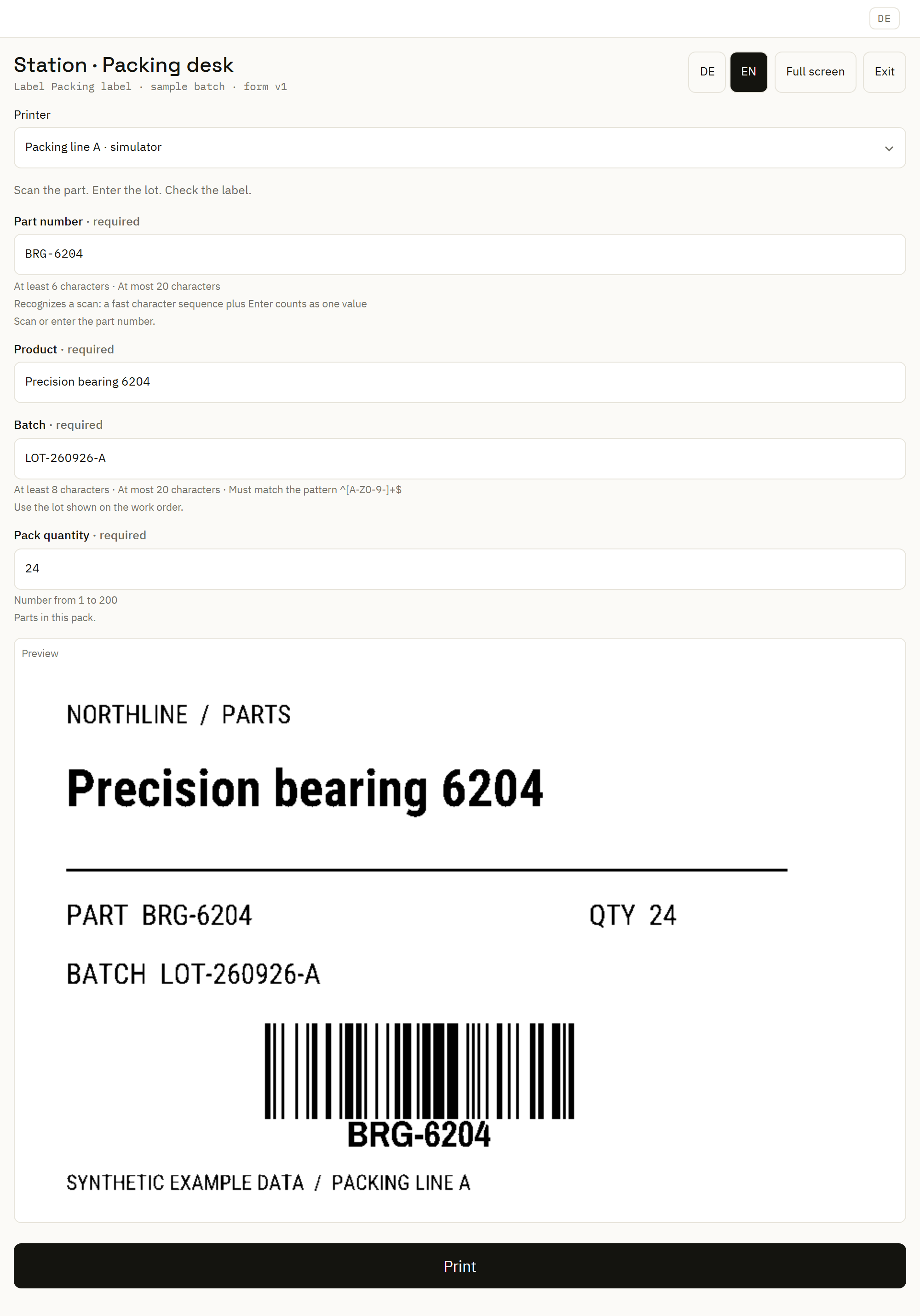
From label inputs to a working form
Derive fields from the label's input variables, prompts and required flags. The same data contract can serve a simple print form and a more tailored station.
Add text and number fields, choices, dates, checkboxes, helpful instructions and a preview. Bind each value to its label variable or supported job setting.
Set required inputs, allowed lengths, numeric ranges or patterns. Scanner settings support behaviors such as advancing to the next field after a scan.
Test the operator workflow
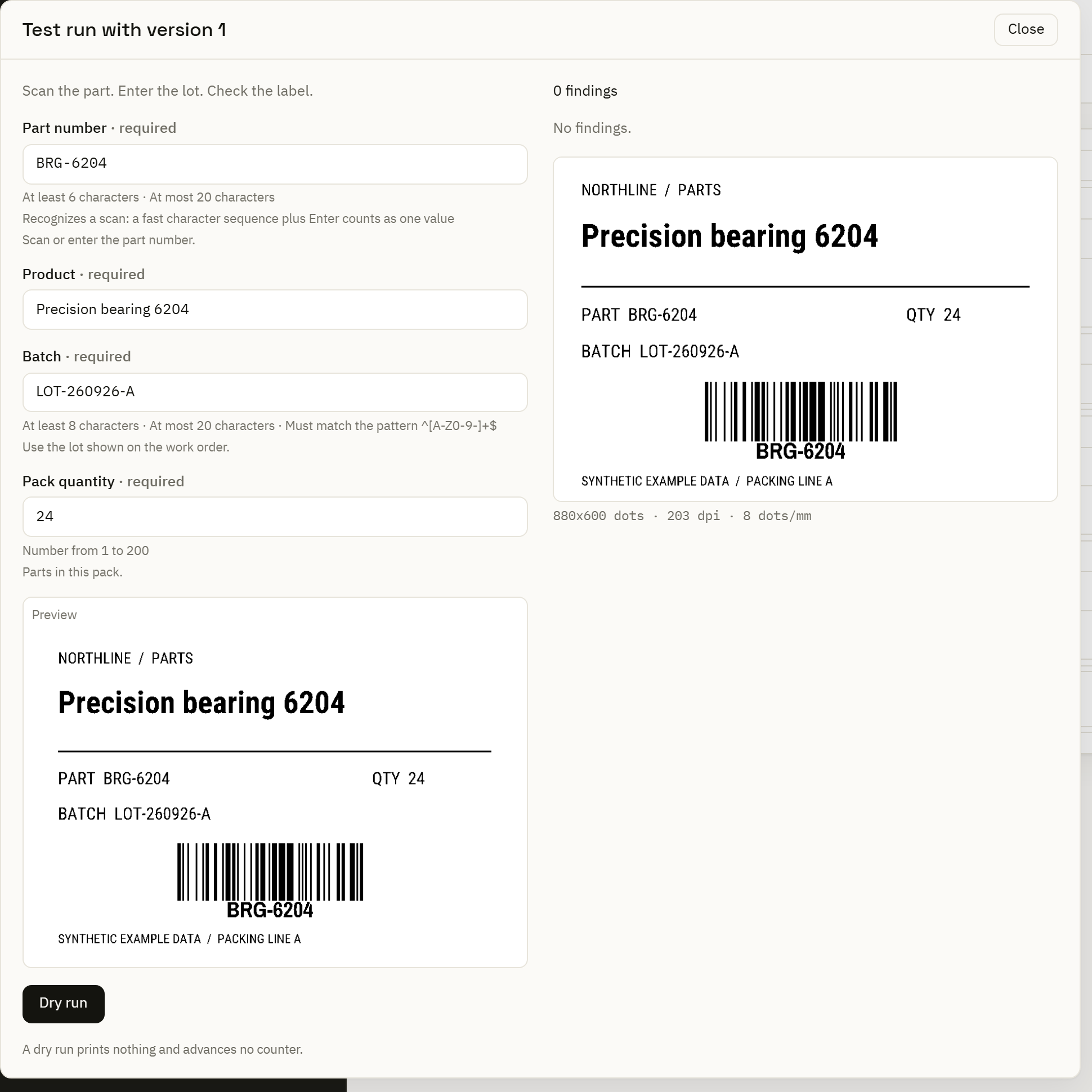
Run a native dry run with representative values. Review validation and the rendered label before the form reaches a station; a dry run does not print.
Maintain versioned forms and assign them to a label, printer or station context. An assignment can follow approved form versions or pin a selected version.
Use the builder's test run to inspect validation and preview behavior. Check both the usual values and a value the station should reject.
A form submission can hand its values to a configured automation. Use that path when the station needs data processing or routing beyond a direct label request.
Connect the form to automation →More than one label
For a batch, load tabular data and map the source columns to label inputs. Inspect the rows, required values, destination and requested quantities before submitting the work.
Use PDF output when the next step is document review or a PDF-based handoff. Follow submitted print requests into their recorded outcomes.
Follow the first-print guide →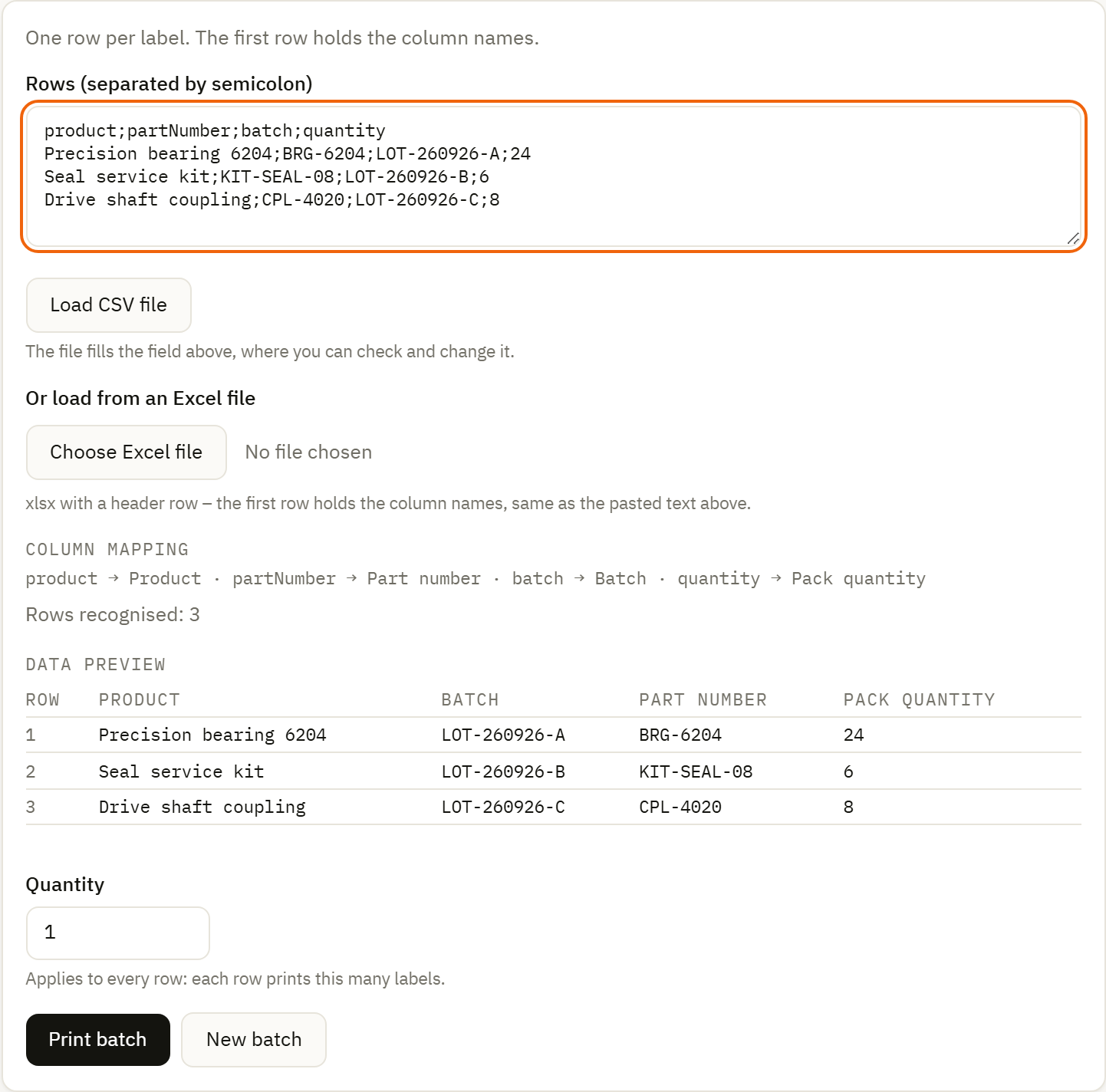
The browser form and kiosk shown here are served by the Center and need connectivity to it. Local Automation Services handle configured execution near printers; their local queue does not make this Center-hosted page an offline portal.
Understand the installation options →