Place and organize
Set the media size and work with text, images, rectangles, lines, ellipses and barcodes. Inspect position and dimensions, align objects, and manage stacking, visibility and locks in the layer list.
Label Designer
Build the layout once, then see how it behaves with the products, lots and quantities you actually handle. The browser Designer brings precise object controls and the rendered label into the same workspace.
Layout you can inspect
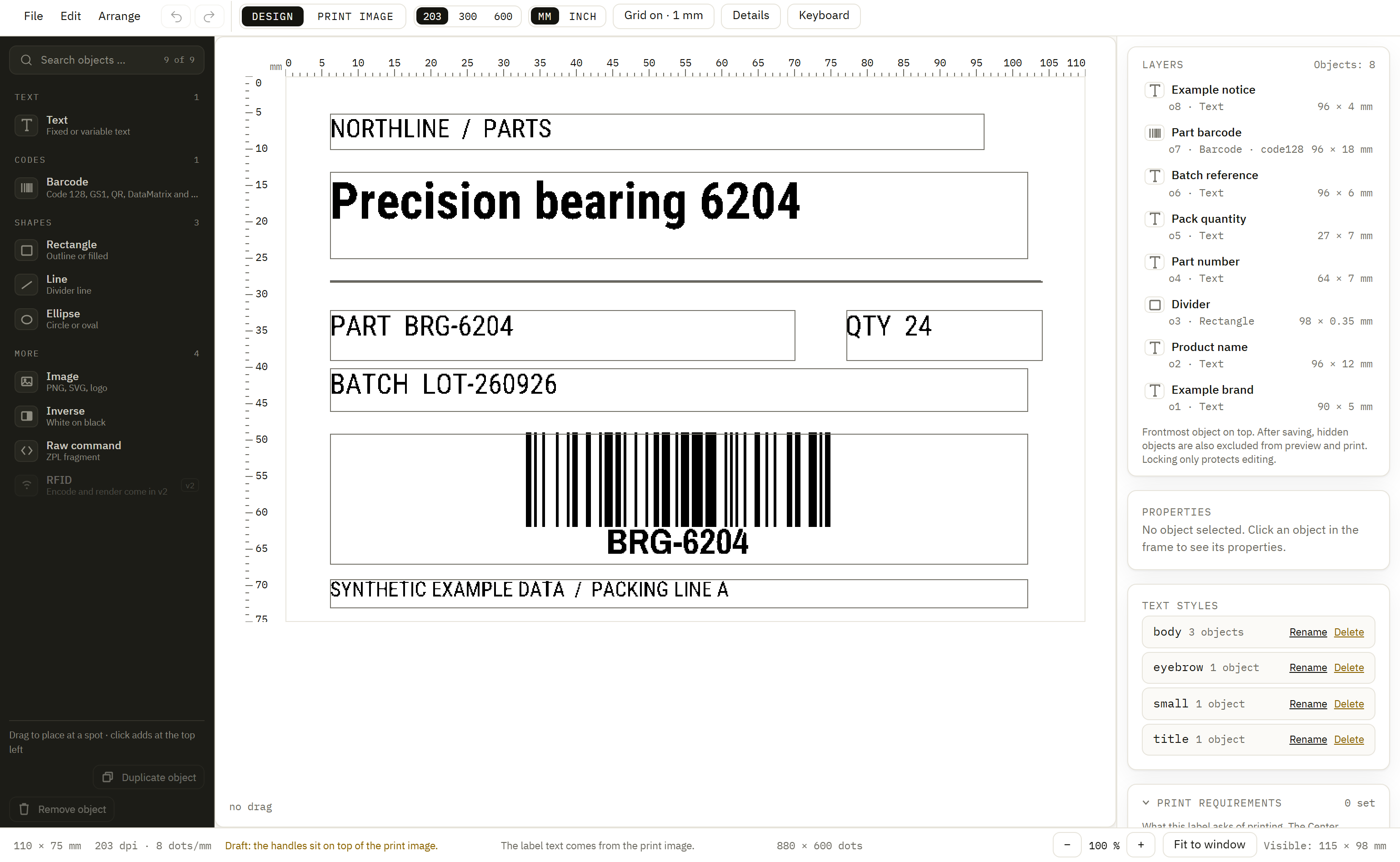
Set the media size and work with text, images, rectangles, lines, ellipses and barcodes. Inspect position and dimensions, align objects, and manage stacking, visibility and locks in the layer list.
Use symbologies such as Code 128, EAN, QR and DataMatrix. Configure barcode content, module width, quiet zones and readable text for the selected object.
The Designer displays output from the shared rendering engine. Switch between editing and print-image views and inspect the chosen print density; the label text is rendered by the engine.
Variable data
Bind text and barcodes to named variables. Required input flags and prompts help define what an operator or integration must provide. CEL expressions and formatting prepare values for their place on the label.
Save representative sample sets with the document: a normal product, a long description, another batch. Switch between them to inspect wrapping, barcode content and the path from input to displayed value.
Sample sets are preview data, separate from production defaults. They let the team discuss the same example without changing the values sent in a print request.
Turn those inputs into an operator form →Set its width, height and media type, then place the information in the order people need to read it.
Bind objects to variables and use saved samples to expose long text, empty optional fields and unusual product values.
Use the rendered view to refine the design, then check output on the intended media and printer before adopting it at the line.
Reusable assets
Use reusable styles for typography and upload label artwork and fonts. Supported font uploads are static faces with embedding permission; distribute the required assets with the workflow so the local service has them when it renders.
Preview and print share rendering on the render-ownership path. Printer, media and driver behavior still belong in the final output check, especially when replacing a design that used legacy device fonts.
Choose the printer delivery path →Copy a gallery label with a useful size and field structure, then make the content your own.
Explore template starting points →Import supported source documents and keep conversion findings attached to the work you need to review.
See the import workflow →Version review
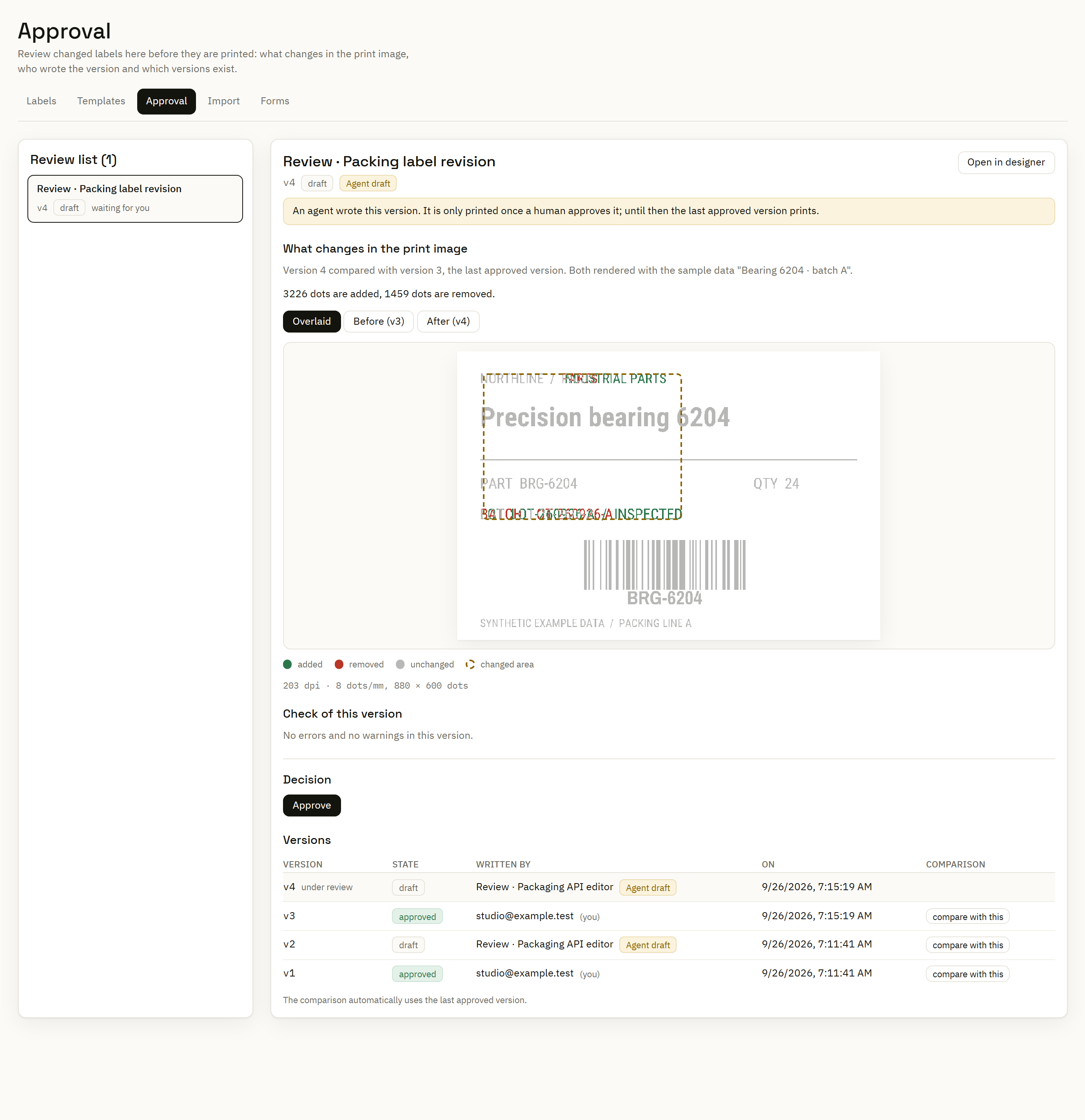
Inspect saved versions and their authors. A rendered comparison highlights additions and removals against the selected earlier version using the same sample data.
For teams that require approval, the Center exposes permitted review actions by role and policy. Human review and four-eyes separation can be configured; API-authored drafts have their own approval control.
Manage review and distribution →