80 × 50 mm · Code 128
Batch and lot label
Start with a required batch or lot value and a product field. Use it as a base for the identification needed between process steps.
Label templates
Begin with a useful size, barcode and set of fields. Copy a template from the product gallery, connect your values and refine the design for the task at your station.
Examples in the gallery
These are supplied document sizes and inputs. You can adapt your copy in the Designer.
80 × 50 mm · Code 128
Start with a required batch or lot value and a product field. Use it as a base for the identification needed between process steps.
58 × 40 mm · EAN-13
A compact starting point with required product-name and GTIN inputs. Replace sample content with identifiers appropriate to your product.
30 × 20 mm · DataMatrix
Use a required part number in a small label format. Review text and symbol dimensions for your media and scanning setup.
101.6 × 152.4 mm · GS1-128
Begin with an SSCC input and an optional GTIN-14 field. Connect your identifier allocation and review the receiving organization's requirements.
Explore pallet labeling →99.1 × 57 mm · Text
Sender, recipient, street, postal code and city provide a familiar structure. Use realistic long addresses to inspect line wrapping.
Your existing document
If the current layout is the best reference, convert a supported source and review its diagnostics before adapting it.
See import and migration →Adapt in the Designer
Open a gallery entry to inspect it, then create your own copy. Change the media dimensions, arrange the objects and bind fields to the inputs your operation supplies.
Save several sample sets to review product variations, long names and different batches in the same layout. The Designer renders the resulting label so the team can inspect text and barcode content together.
The gallery document remains a starting reference while your copy becomes a versioned label for review and printing.
Explore the barcode Label Designer →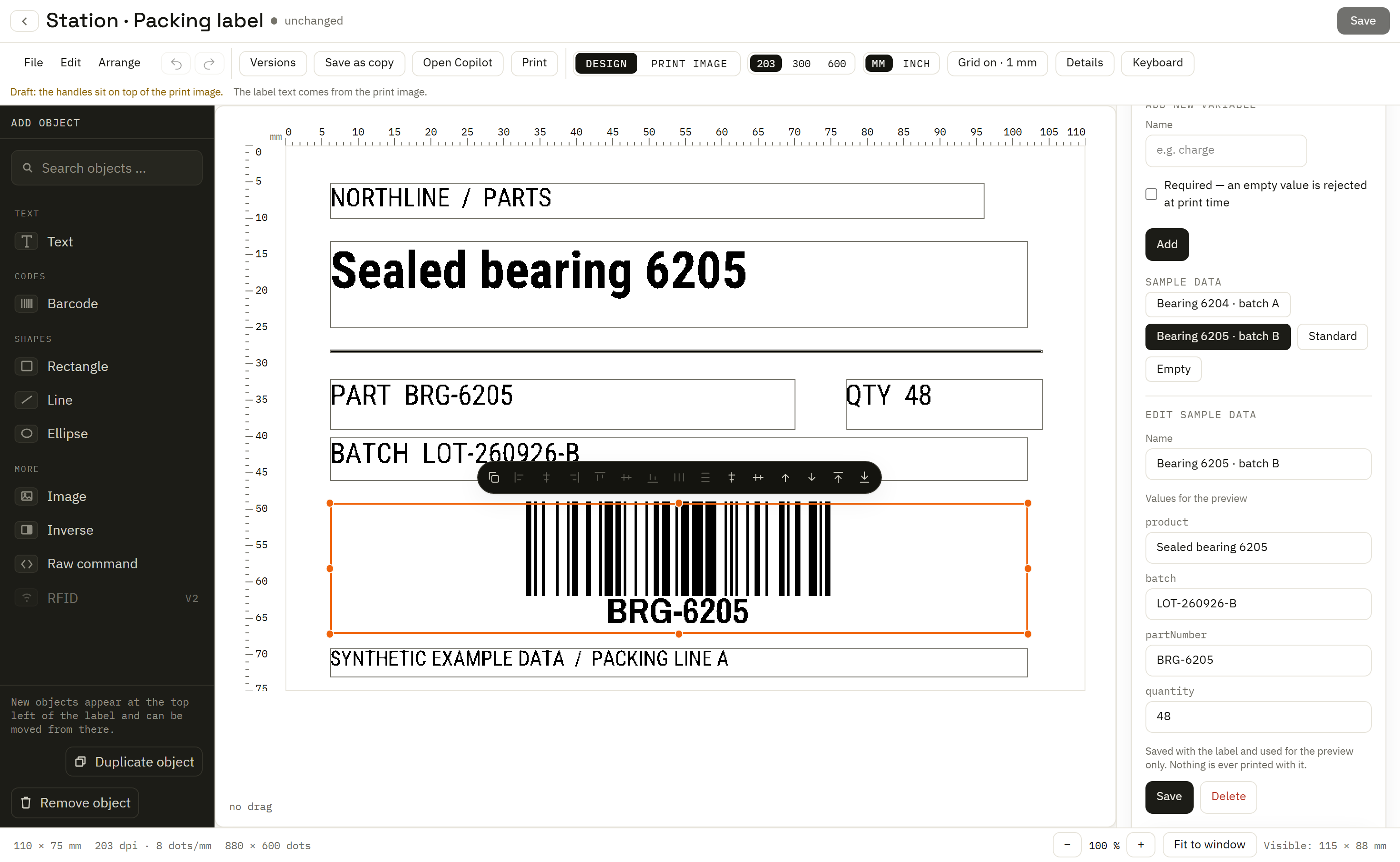
Start with the information people and scanners need, and the label stock used at the station.
Set your prompts and bindings. Keep preview sample sets separate from the values used for production requests.
Use the generated input form or build a custom station form with instructions, validation and a preview.
Inspect demanding sample values, then a controlled label from the intended printer and media before adopting the design.
A template name or standard reference helps identify its intended use. It does not certify an adapted document or imply carrier approval. Review the encoded data and applicable receiving requirements for your own workflow.