Continuity is workflow-specific
Two stations can use the same software yet depend on different network paths. Base the continuity decision on the actual source, trigger, destination and allocated resources.
Keep work close to its dependencies
An Automation Service runs configured work near the data and printers it uses. Place those dependencies deliberately, then evaluate the interruption that matters to your site.
Northline Parts · illustrative continuity plan
Lucie needs Brno's dispatch work to remain understandable when the Center connection is interrupted. Jonas starts by checking which documents are applied and where the next batch's data comes from.
Already deployed documents and reachable local inputs give a local service a different dependency profile from a browser form or an ERP API reached across the same interrupted network.
The service view shows a real connected local service. The outage sequence below is an evaluation plan; this demonstration did not disconnect the network or prove offline throughput.
Understand the system's locations and connections →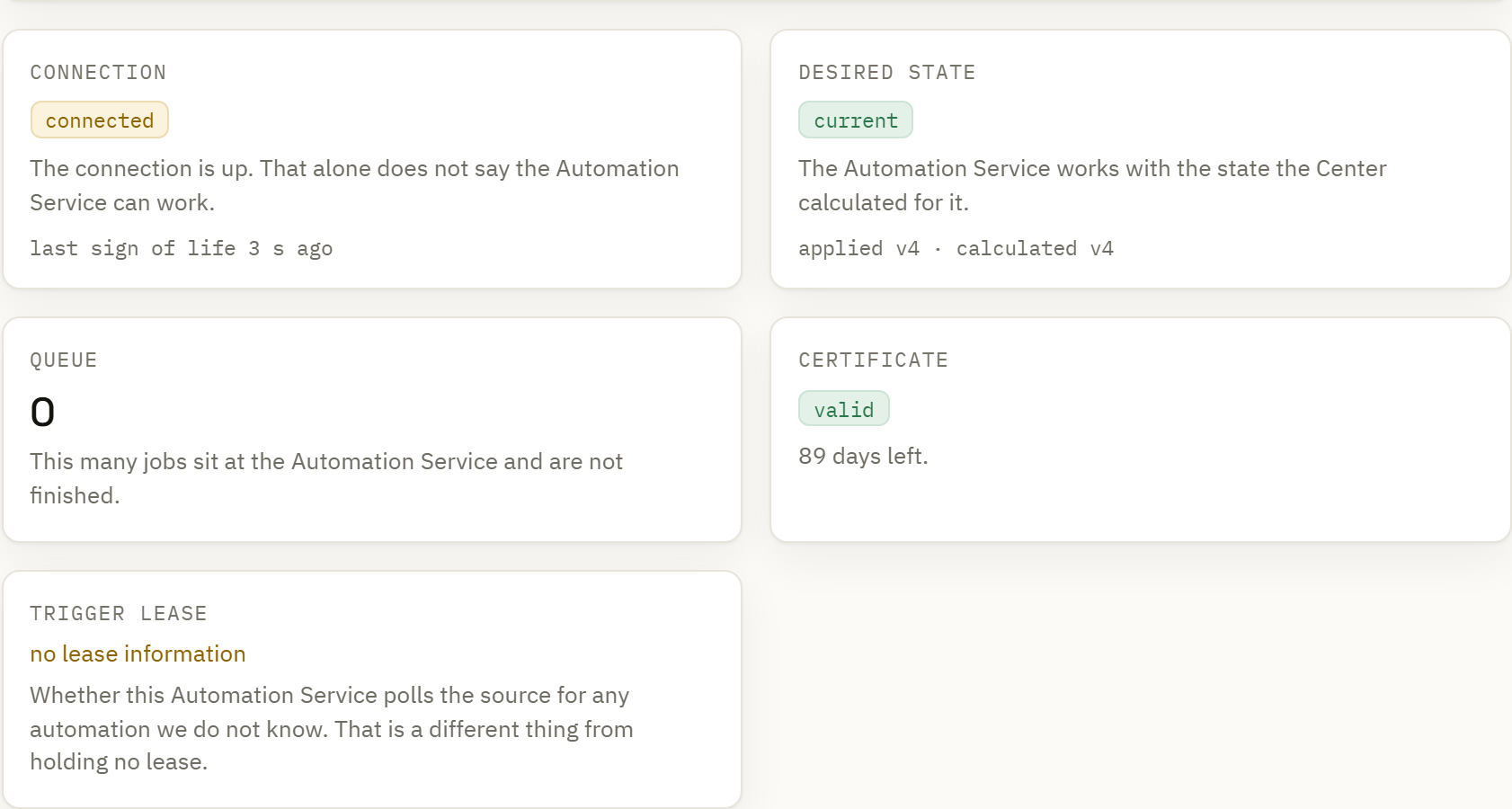
Dependency map
| Dependency | What must be available | Effect to evaluate |
|---|---|---|
| Applied automation and label | The service's usable deployed version, fonts and assets. | Local execution uses what is already present; a new revision waits for delivery. |
| Local folder or local database | The source itself and the service's required access. | A Center interruption alone need not remove local data. Check the selected trigger and deployment scope. |
| Remote ERP or HTTP source | A working route to that remote system. | Local execution cannot fetch records from an unreachable source. |
| Center-hosted form | The operator's browser connection to the Center. | The focused kiosk screen still depends on its host; it is not an offline station application. |
| Center-hosted event or webhook | The caller's connection to the Center and delivery to the service. | New remotely submitted events cannot be assumed to arrive while that path is broken. |
| Printer and number allocation | A reachable target and any required locally available allocated values. | Inspect unavailable destinations, exhausted allocations and uncertain transmission independently. |
A controlled outage exercise
Use a small known batch, a local source and a controlled print target. Make the normal result clear before introducing the interruption.
Keep the service process running when evaluating loss of the Center connection. Stopping that process demonstrates service unavailability and cannot show continued local printing.
Explore local execution and queues →Record the applied version, local input location, printer assignment and required allocation. Confirm a known batch can take the intended path.
Separate loss of the Center link from loss of the ERP source or printer. Use an owned evaluation environment so each effect is identifiable.
Introduce a fresh identifiable input through the local trigger. Check which work is read, queued, sent or refused under the actual dependency conditions.
If a connection fails during transmission, review the recorded state and the target. An uncertain print outcome is held for review rather than blindly issued again.
Inspect the reported outcomes and any pending deployment after the connection returns. Compare them with the controlled target before releasing more work.
Two stations can use the same software yet depend on different network paths. Base the continuity decision on the actual source, trigger, destination and allocated resources.
A site can continue to have an earlier version applied while a new target is pending. Check the service's report before treating a central edit as active on the line.
Review site-version distribution →Persistent work and deduplication help recovery. A broken connection after transmission can still leave physical output uncertain, so the operation needs a deliberate review before repeat printing.
Understand reported print states →